DocsHelp
Troubleshooting
Quick fixes for the most common problems: box.local won't open, a forgotten password, a Box that moved, and chat that is slow or not answering.
Find what you see below and follow the fix.
box.local won't open on a new device
Try these in order.
Wrong network. Join the same Wi-Fi as your Box. Guest networks usually can't see it.
Mac, non-Safari browser. If Safari opens box.local but your other browser doesn't:
- Open System Settings > Privacy & Security > Local Network.
- Turn your browser's switch on.
- Quit and reopen the browser.
Router isolation. In your router's app, turn off AP Isolation or Client Isolation for your Box's network.
Use the number address.
- On a device that works, tap Settings ▾ > Settings.
- Note the Local IP number in the Address card.
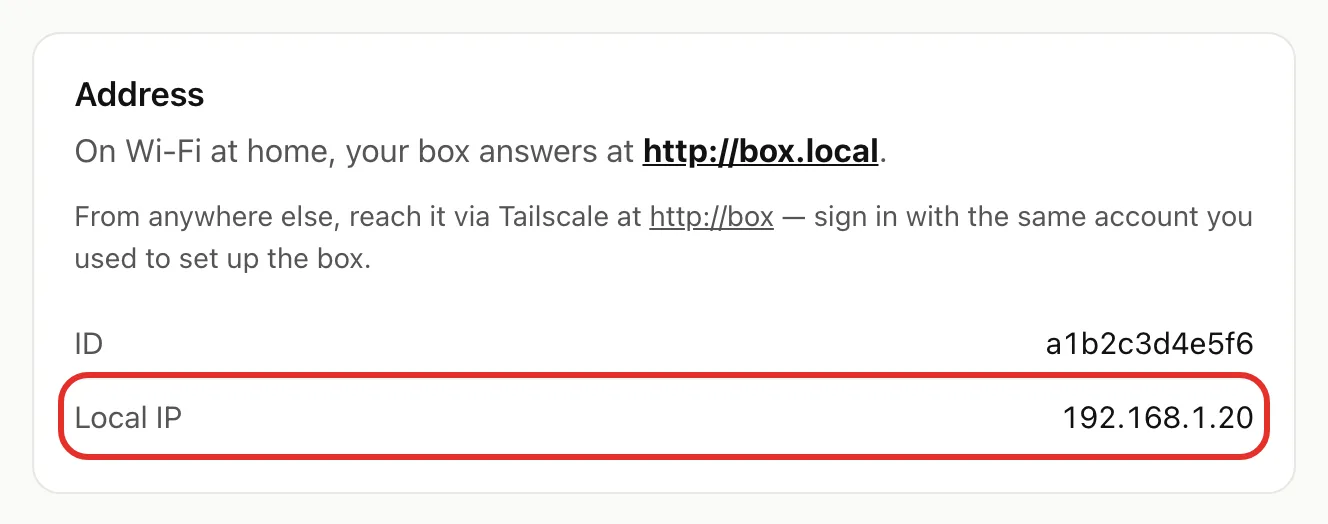
- On the new device, type it into the address bar, for example http://192.168.1.20.
- Sign in with your password or a pairing code.
The number can change later. Check the Address card again if it stops working.
box.local won't open on any device
- Check the power cable at both ends.
- Wait a few minutes, then try box.local again.
- Still nothing? Unplug the Box, wait a few seconds, plug it back in, and wait a few minutes.
Away from home, box.local won't work. Use remote access.
I forgot my password
Nobody, including us, can look up your password. A device that's still signed in can add new devices with a pairing code:
- On the signed-in device, tap Settings ▾ > Settings.
- Tap Pair a device. A 6-digit code appears for 5 minutes.
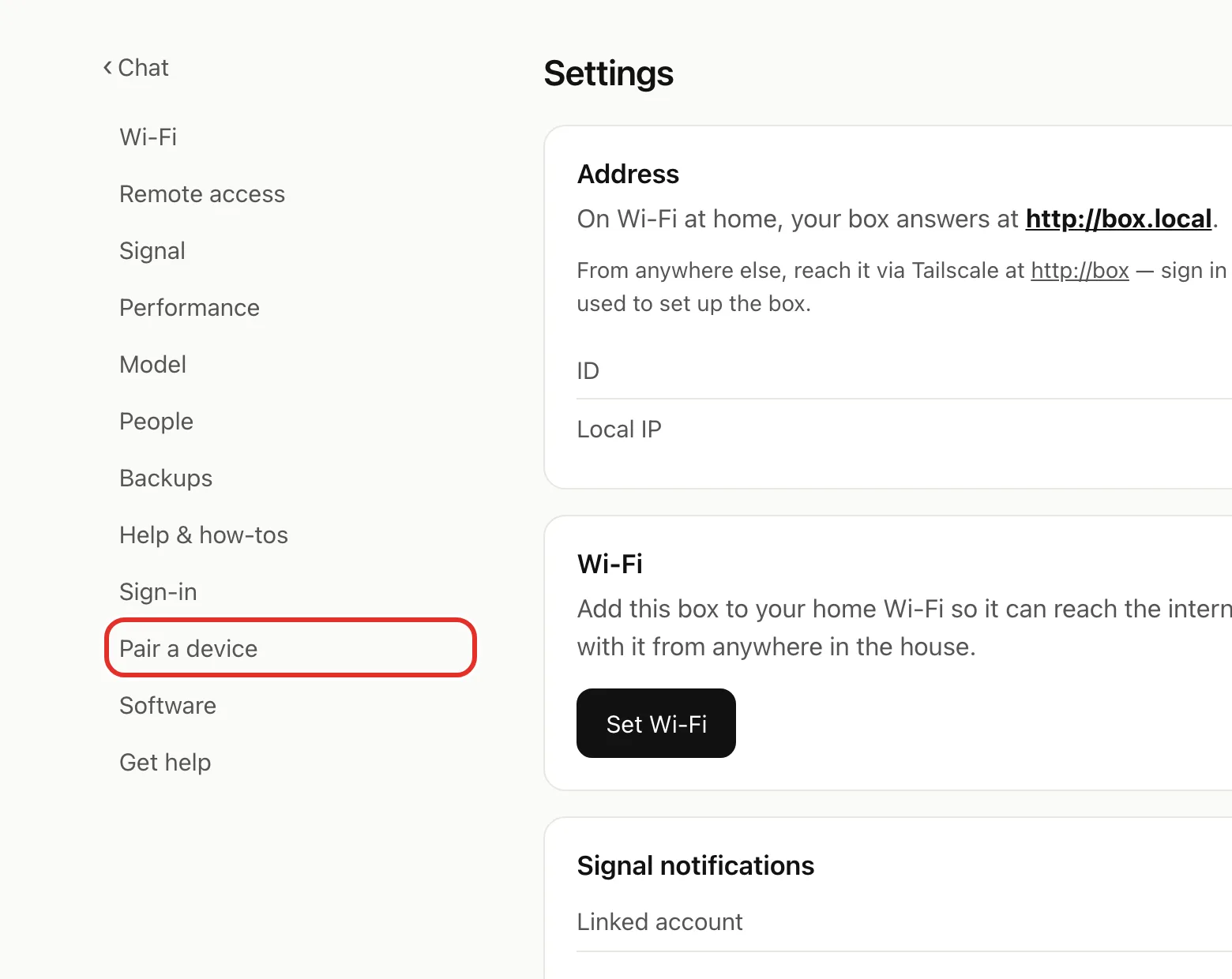
- On the new device, open box.local, tap Pairing code, and type the digits.
No signed-in device left? Email michael.maddison@voxcura.io.
I moved my Box or changed my router
A Box on a network cable stays at box.local. Otherwise:
- Plug in the Box and wait a few minutes.
- On your phone, join the box-setup Wi-Fi.
- If no page opens, go to 192.168.4.1 and sign in.
- Tap Settings ▾ > Settings > Wi-Fi, pick your network, and tap Connect.
- Rejoin your home Wi-Fi on your phone and open box.local.
Full steps: Change Wi-Fi or move your Box.
Chat is slow or stuck
After changing the model or Performance setting, chat is down for about 30 seconds. Wait, refresh, and resend.
Think before answering (Model page) makes replies slower to start.
If chat is still stuck, restart it:
- Tap Settings ▾ at the top right.
- Tap Restart Hermes, then OK.
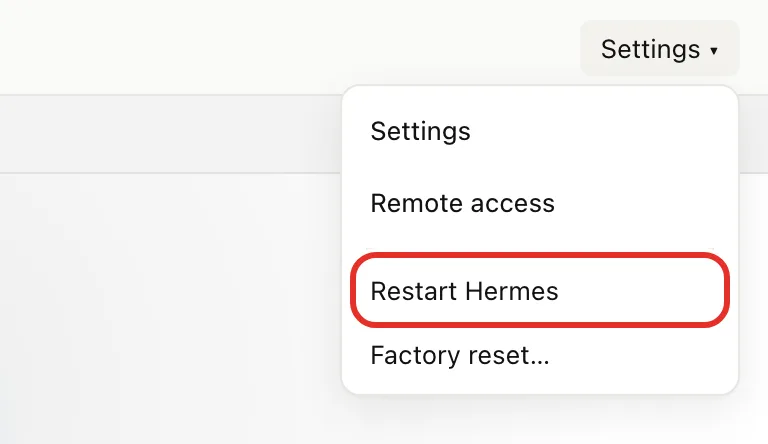
The page reloads after about 30 seconds.
Still stuck?
Tap Settings ▾ > Settings > Get help to start a remote support session or open diagnostics.
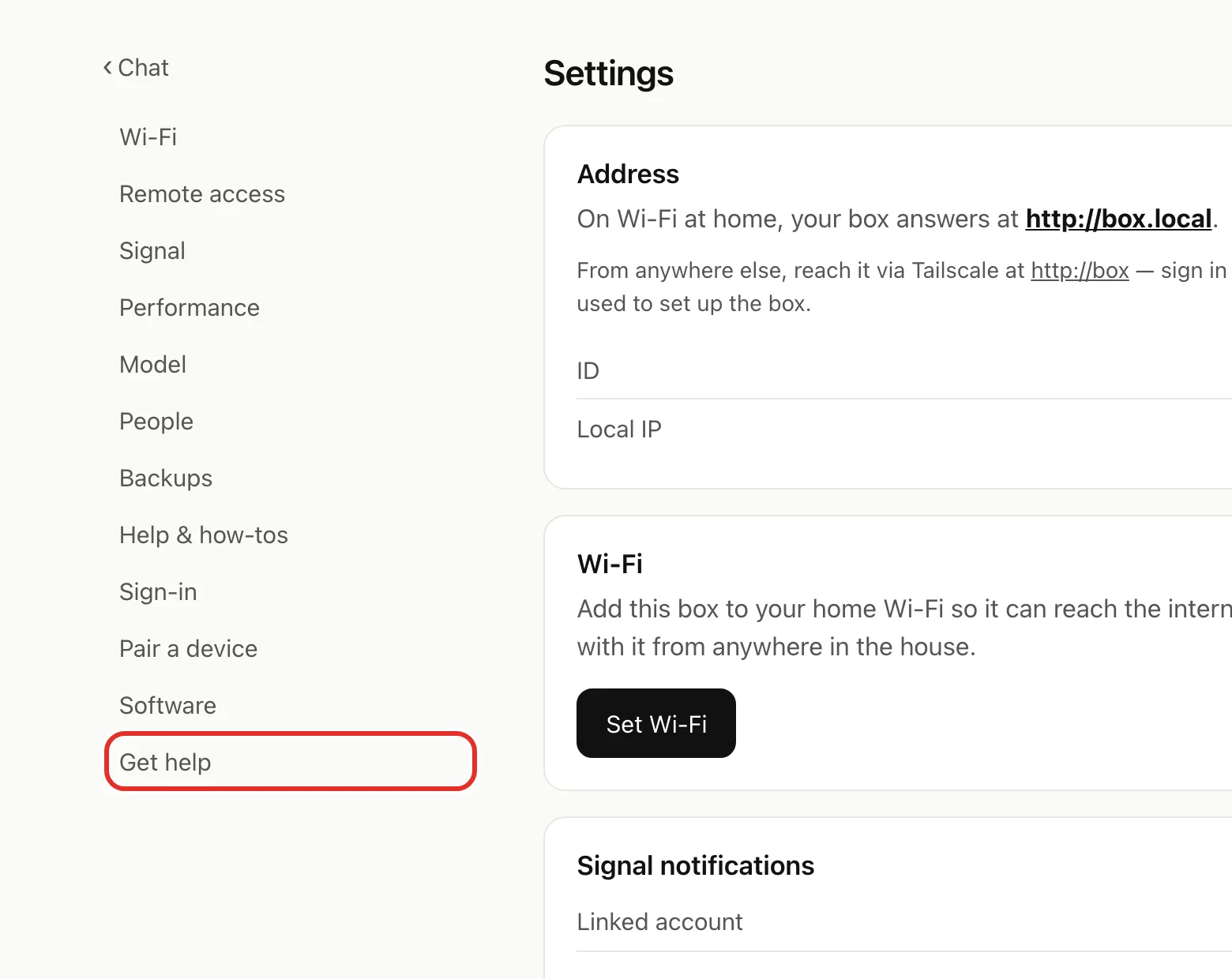
Or see Get help, or email michael.maddison@voxcura.io.
Verified on Box software 0.2.8 · 2026-10-05