DocsHelp
Get help
Reach Arx support, let an engineer look at your Box for a few hours, and send us a diagnostics snapshot when things are badly broken.
Email us, let an engineer reach your Box for up to 4 hours, or send a diagnostics snapshot when nothing else works.
Contact support
Email michael.maddison@voxcura.io with:
- Your box ID and software version (see below).
- What you tried, and what happened instead.
- A screenshot, if something looks wrong.
Find your box ID and software version
- Go to box.local.
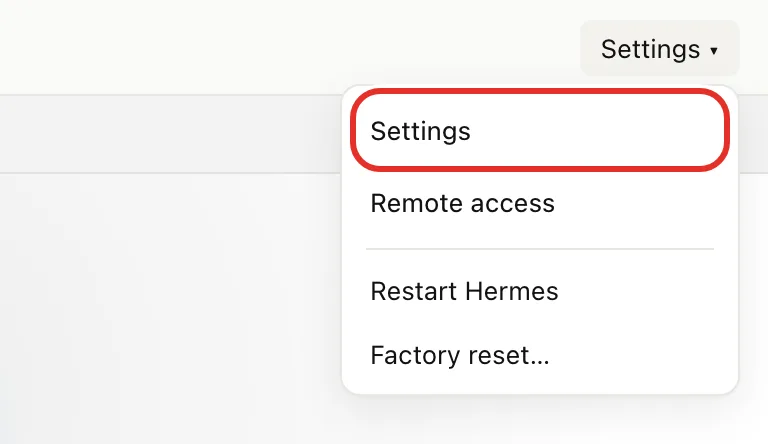
- At the top right, tap Settings, then Settings in the menu.
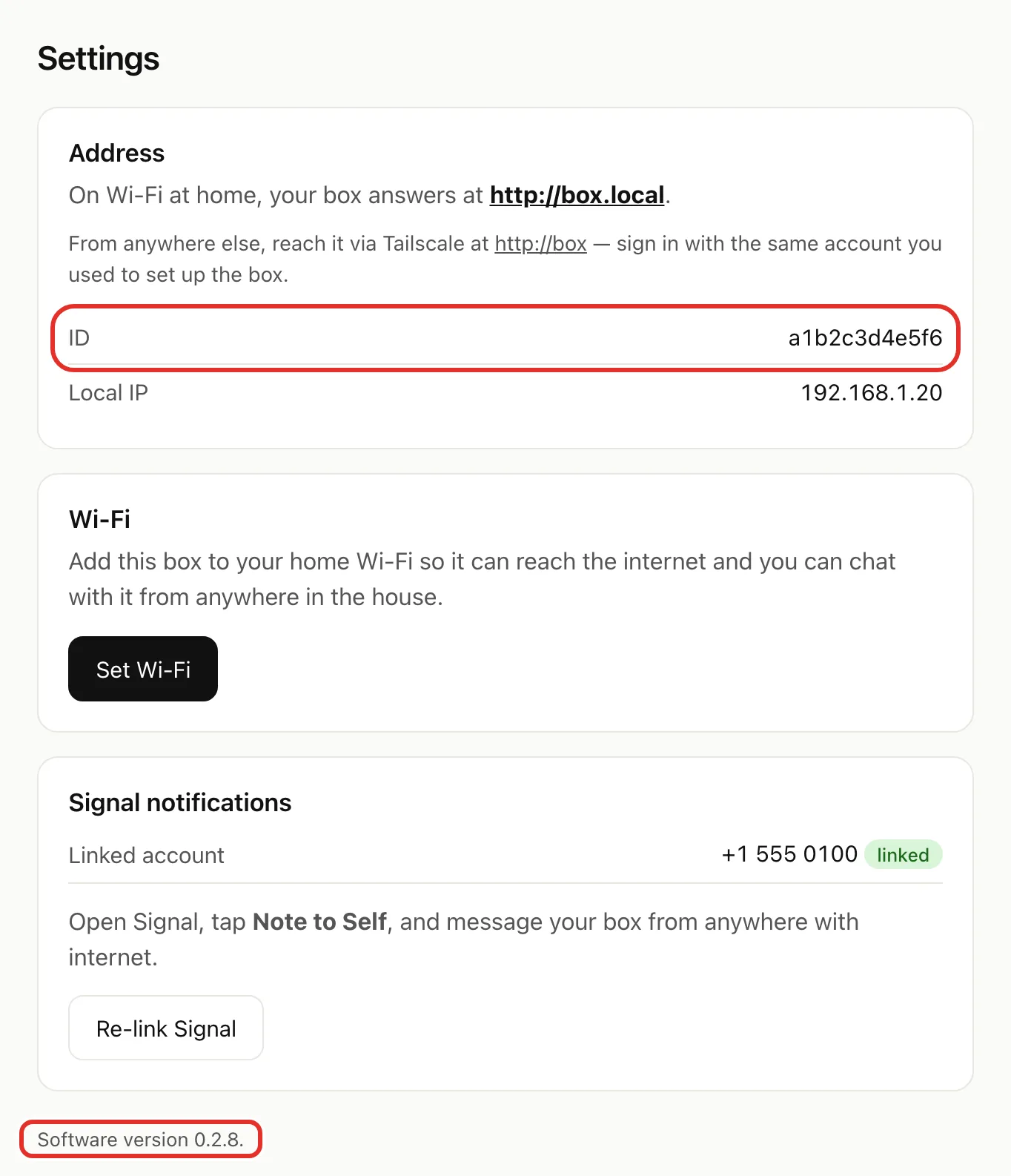
- Your box ID is the ID line in the Address card.
- Your software version is at the bottom of the page.
Let an engineer look at your Box
Email us first if you are not already talking to an engineer.
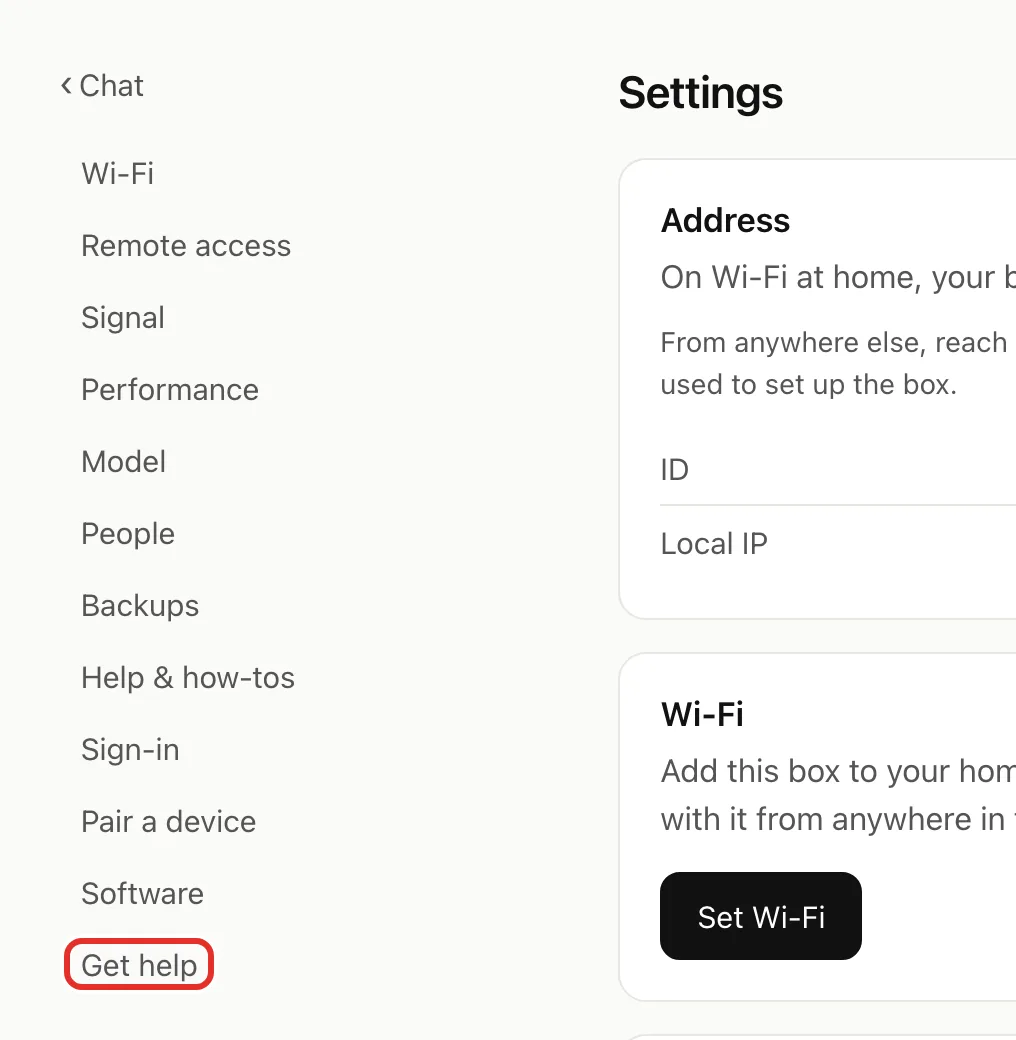
- In the Settings list, tap Get help. On a phone, the list is at the top.
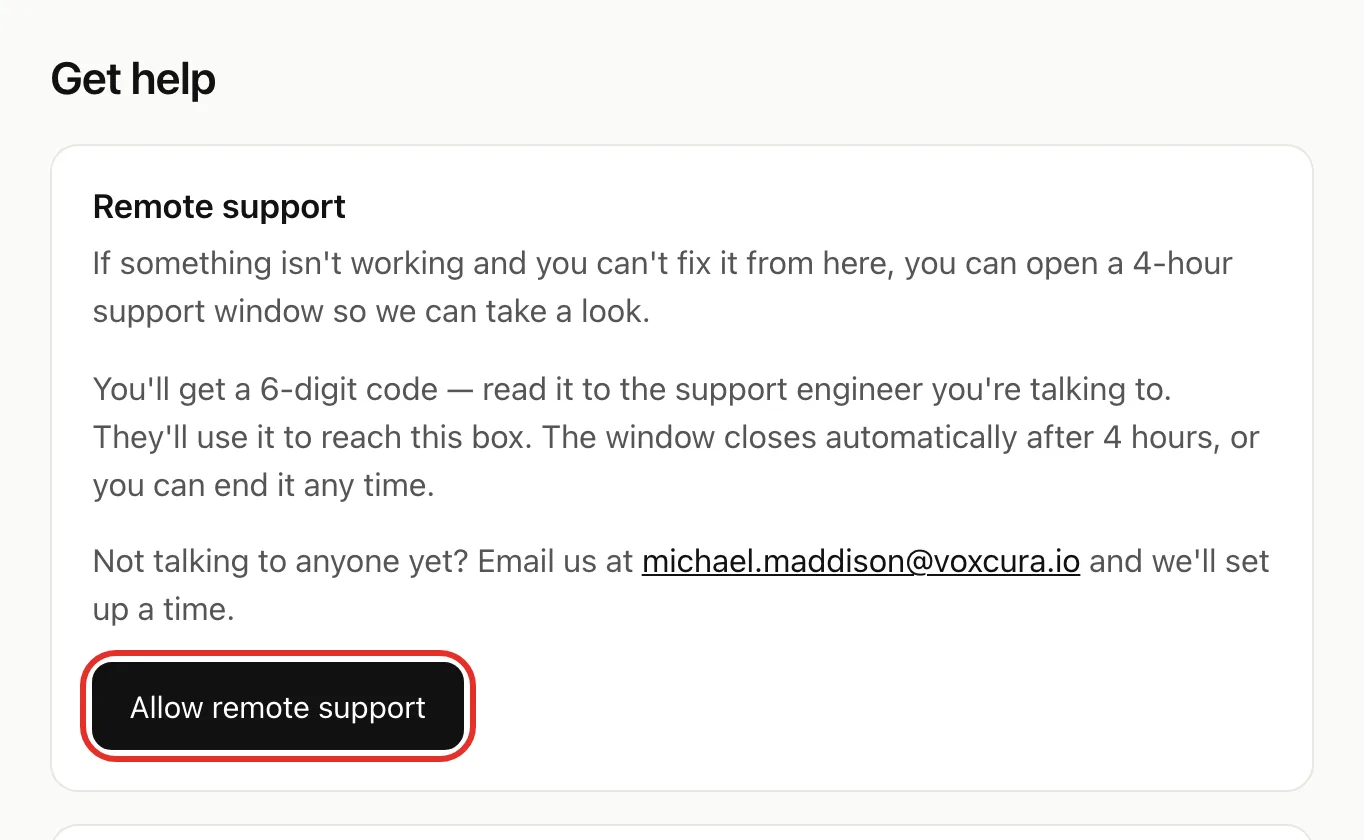
- Tap Allow remote support.
- Read the 6-digit code to the engineer.
- When they are ready, type the same 6 digits under the code.
- Tap Start session. To back out instead, tap Cancel.
The code works for 10 minutes. While the session is open, a Support session active bar shows at the top of your pages.
To end it early, tap End now in that bar or End session on Get help. Access stops straight away.
Send diagnostics when things are badly broken
- Email michael.maddison@voxcura.io with your box ID.
- On the Get help page, tap Open diagnostics.
- Screenshot the whole page, scrolling to the end.
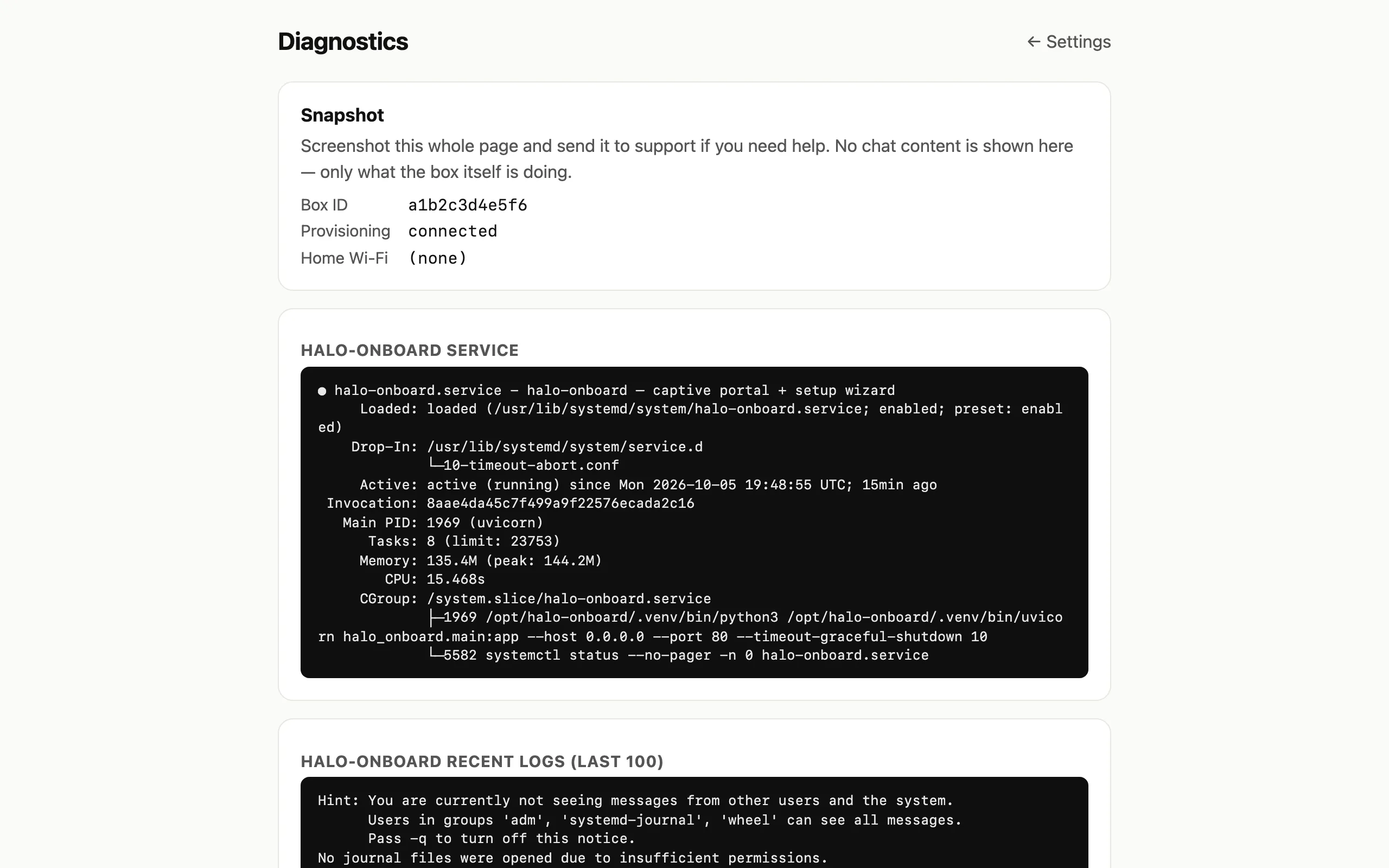
- Reply to your email with the screenshots attached.
If something goes wrong
- Code expired or mistyped: tap Try again and read the new code to the engineer.
- Lost connection after moving the Box or changing your router: see Change Wi-Fi or move your Box.
- Other common problems: see Troubleshooting and Update your Box.
Verified on Box software 0.2.8 · 2026-10-05