DocsUse your Box
Add people in your household
Give someone in your home their own private assistant on your Box, with its own memory, that they message from their own phone over Signal.
Give someone in your home their own private assistant, with its own memory, that they message from their phone over Signal. Nobody can see anyone else's conversations.
Would they rather use the chat screen at box.local? See Give someone their own chat profile.
Before you start
- Your Box is online. See Change Wi-Fi or move your Box.
- You are signed in to your Box. See Sign in and add devices.
- The person is next to you, with Signal installed and signed in on their phone.
Several people chatting at once? See Performance.
Add a person
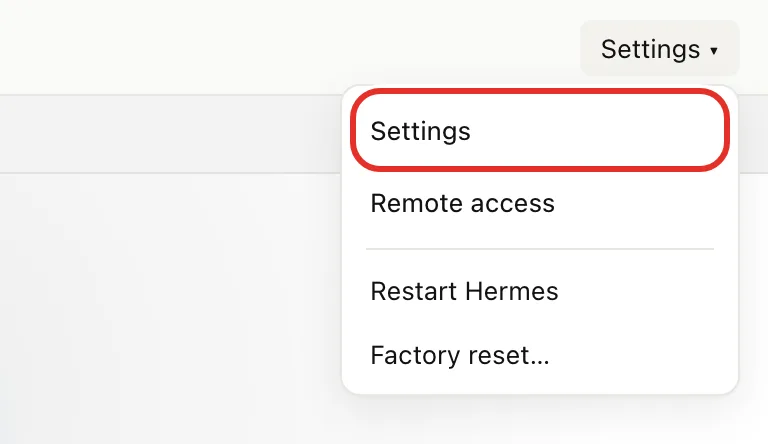
- Open http://box.local, click Settings ▾ at the top right, then Settings.
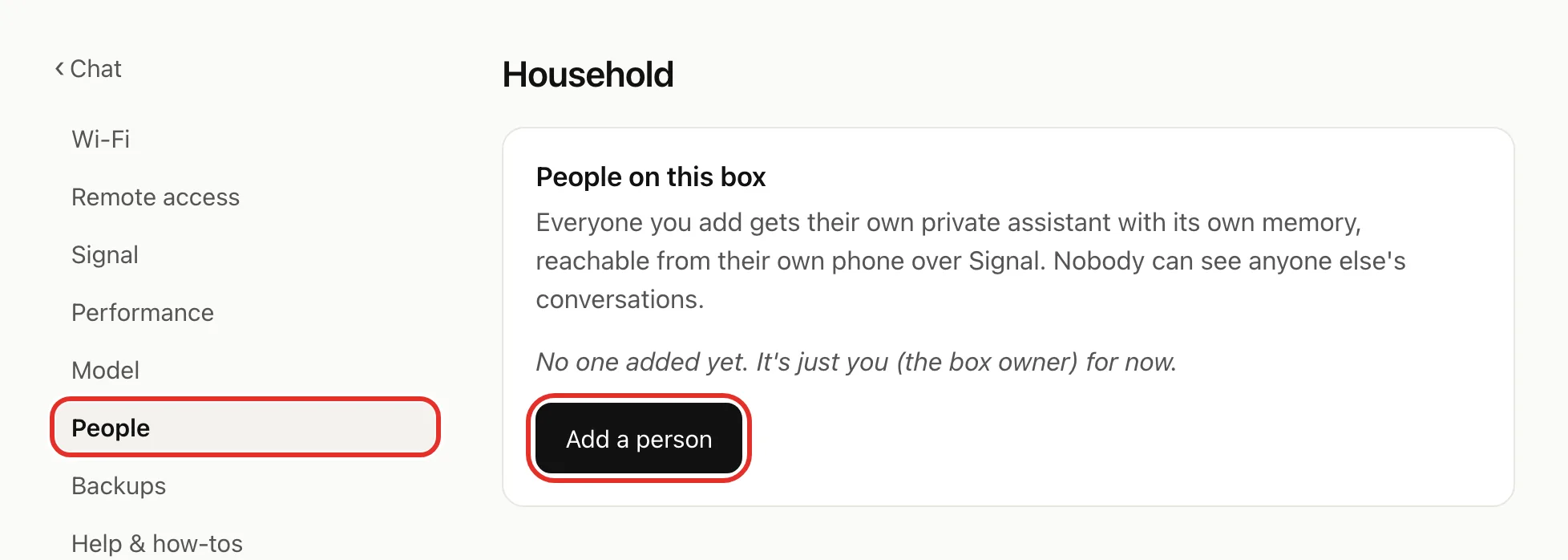
- In the left list, click People, then Add a person.
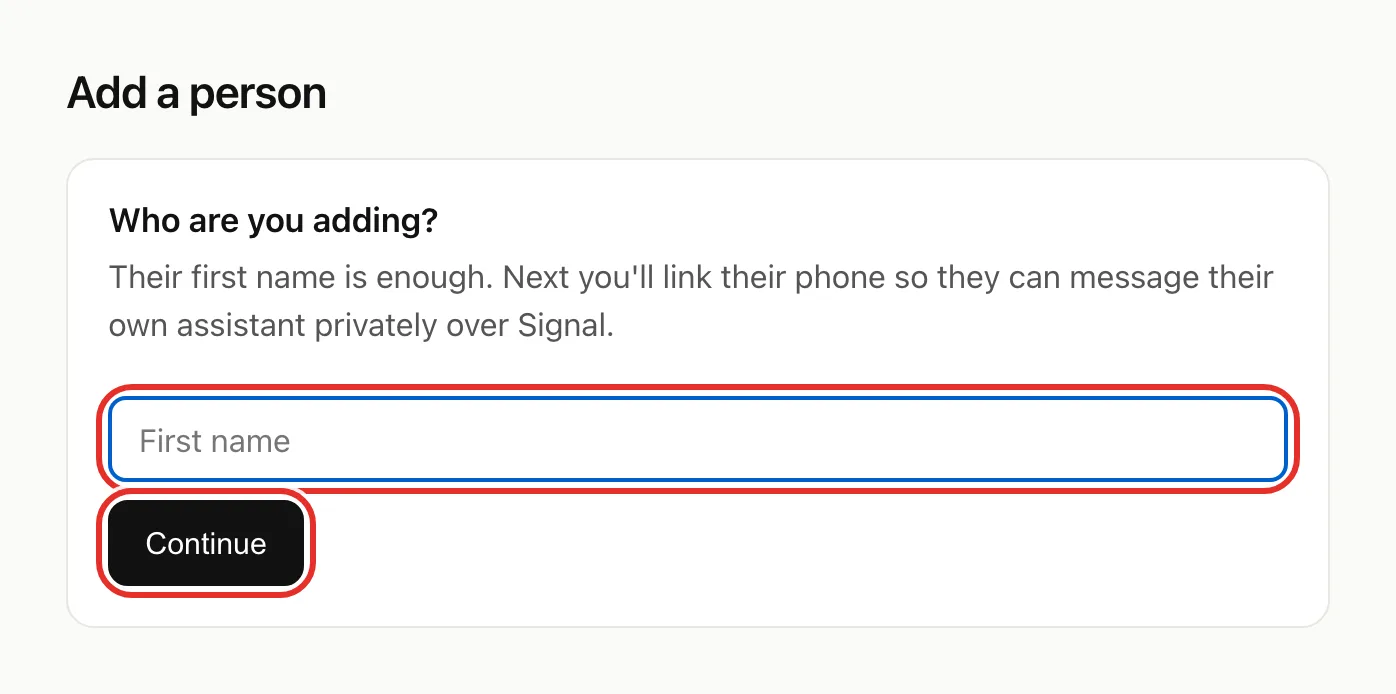
- Type their first name and click Continue. A page with a code opens.
- On their phone, in Signal, they tap Settings, then Linked devices, then Link new device.
- They scan the code on your screen, and confirm if Signal asks.
- Wait. The page says Linked! Taking you back… and returns to People on its own.
They now appear on the People page. To stop without adding anyone, click Cancel on the linking page.
How they message their assistant
In Signal, they open Note to Self (search for it if needed) and send a message. Their assistant replies there, from anywhere with internet. See Message your Box on Signal.
Remove a person
- On the People page, click Remove next to their name.
- Click OK to confirm.
If your Box still shows in their Signal Linked devices, they can remove it there.
If something goes wrong
- This link expired: click Start again.
- Timed out (about 10 minutes with no scan): click Try again.
- "linked, but the agent container didn't start": unplug the Box, wait a few seconds, plug it back in. Their assistant starts when it comes back.
- No reply in Note to Self: check their name is on People. If not, add them again; if so, see Troubleshooting.
Still stuck? Email michael.maddison@voxcura.io. See Get help.
Verified on Box software 0.2.8 · 2026-10-05