DocsConnect
Message your Box on Signal
Link your Signal account to your Box, then message it from your phone through Note to Self, wherever you have internet.
Link Signal once, then message your Box from your phone in Note to Self, wherever you have internet.
Before you start
- Signal installed and signed in on your phone.
- Your Box on your home Wi-Fi. See Change Wi-Fi or move your Box.
Link Signal
- Open http://box.local and sign in. See Sign in and add devices.
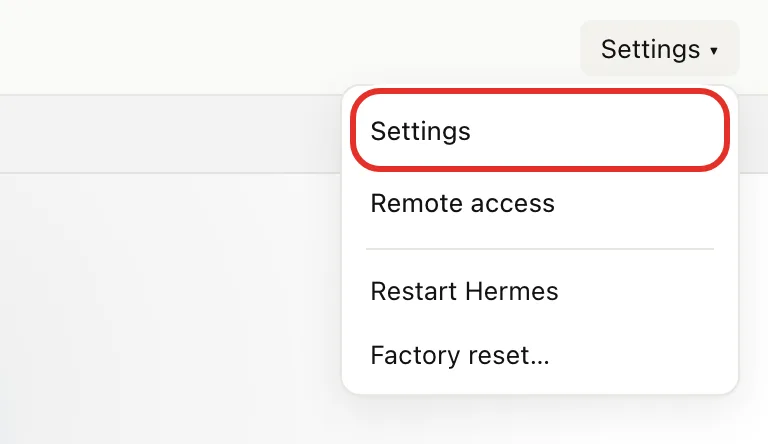
- Click Settings at the top right, then Settings in the menu.
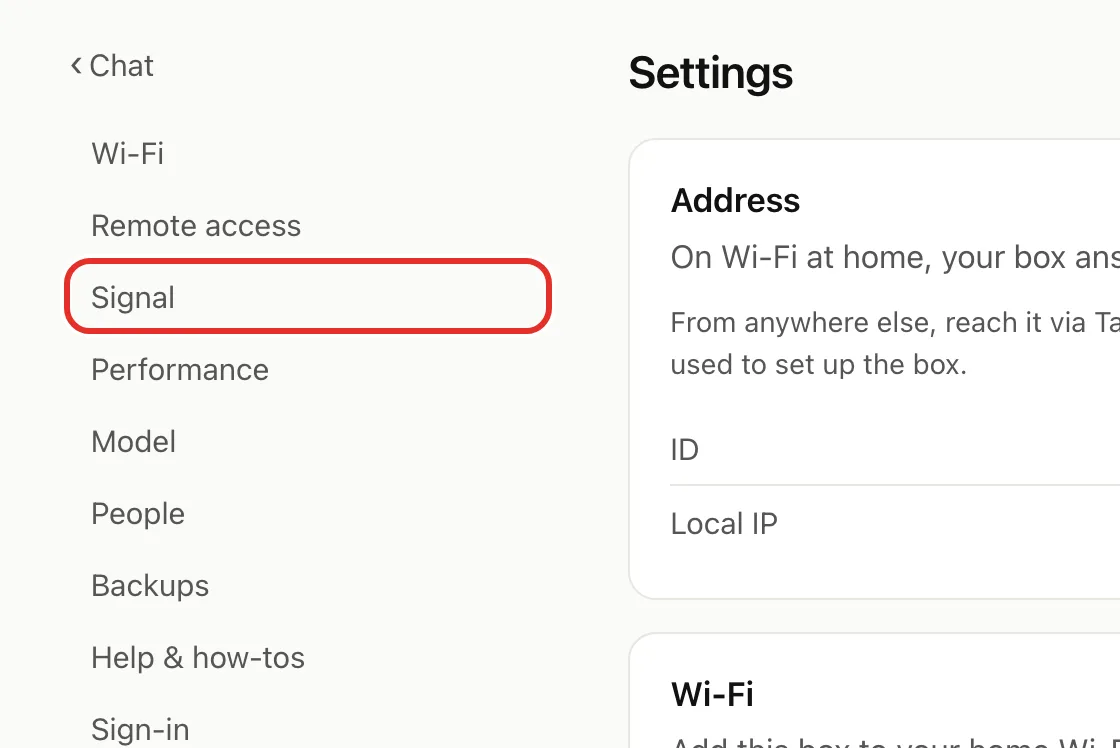
- Click Signal in the list on the left.
On a computer, the page shows a square code:
- On your phone, open Signal and tap your profile picture.
- Tap Settings, then Linked Devices, then +.
- Scan the code on your computer screen. Confirm if Signal asks.
On your phone, tap Open Signal & link box, confirm in Signal, then return to your browser.
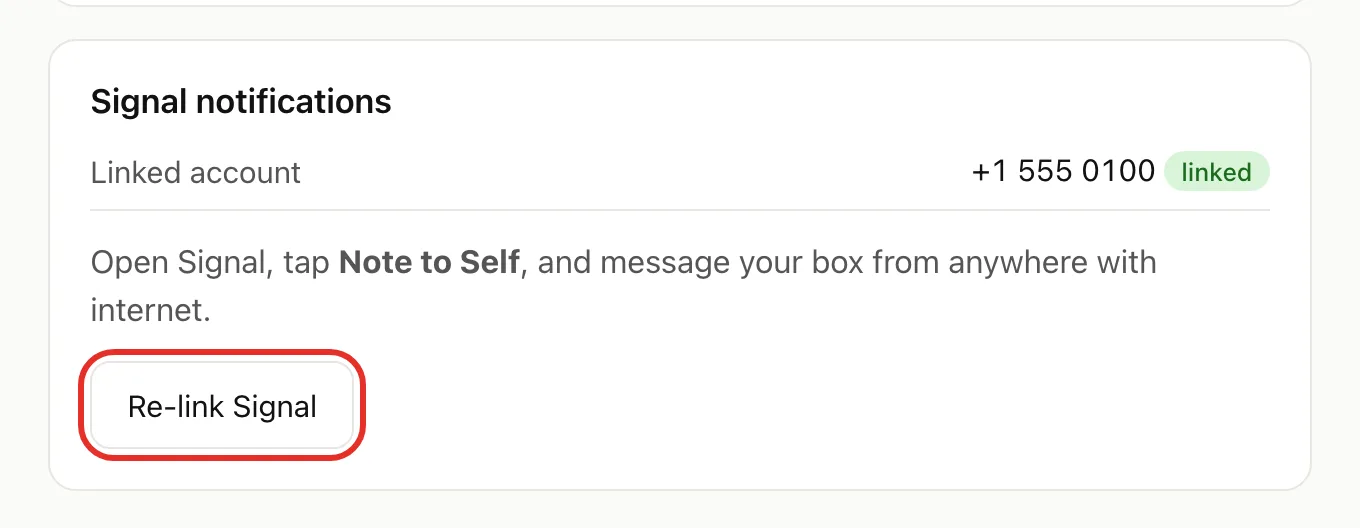
The page shows Waiting for confirmation, then returns to Settings on its own. The Signal notifications card now shows your number with a linked tag.
Message your Box
- Open Signal on your phone.
- Open Note to Self. Search for it if you cannot see it.
- Send your message. Your Box replies in the same chat.
Your Box only answers the Signal account you linked.
Re-link Signal
Do this after a new number, a different Signal account, or removing your Box from Linked Devices.
- Open Settings on http://box.local.
- On the Signal notifications card, click Re-link Signal.
- Follow the Link Signal steps.
Other people in your household
Each person you add gets their own private assistant on Signal. See Add people in your household.
If something goes wrong
- Card says Add your home Wi-Fi above first: set up Wi-Fi. See Change Wi-Fi or move your Box.
- Your previous link attempt was interrupted: click Try again.
- Couldn't start Signal linking: reload the page.
- Stuck on Waiting for confirmation: check you scanned the code, or tapped the button, in Signal, and that your phone has internet.
- No reply in Note to Self: check the card shows your number as linked. If not, link again. If so, see Troubleshooting.
Still stuck? Email michael.maddison@voxcura.io.
Verified on Box software 0.2.8 · 2026-10-05